
Update your own record when an invoice is paid
ChargeOn bills against a record of yours: an Opportunity, an Order, or whichever custom object your organisation uses. That record is your payment object.
When an invoice is paid, have ChargeOn's result flow straight back into that record. Close the Opportunity, stamp a paid date, set your own status field, or anything else you track.
The example below closes the Opportunity when its invoice is paid. Swap the field and the value for whatever your team tracks; everything else stays the same.
Before you start
- You need permission to build Flows in Salesforce (Manage Flow).
- Decide which fields on your own record you want updated when a payment lands.
- The invoice needs a field linking it to your record. Show payments on your own records covers adding it and having ChargeOn fill it in. If you already set one up, use it rather than adding another.
Steps
- Go to Setup → Flows and click New Flow.
- Choose Record-Triggered Flow.
- Select the ChargeOn Invoice object.
- Set it to run when a record is created or updated.
- Under Entry Conditions, set:
- Status equals Paid
- your linking field is null False
- Recurring Payment is null True
- Choose Only when a record is updated to meet the condition requirements, so each invoice acts once when it reaches Paid.
- Optimise the Flow for Actions and Related Records, which runs after the record is saved.
-
Add an Update Records element.
-
Set it to update the record your linking field points at.
- Under Set Field Values, set Stage to Closed Won.
- Save the Flow.
- Click Activate.
Why the Recurring Payment condition is there
An installment plan raises one invoice per cycle. Without that third condition the Flow would close the Opportunity when installment 1 of 4 is paid, with the rest still to collect. Keeping it means the Flow acts on one-off invoices only.
To act on installments too, drop that condition and set the Flow to update your own field for tracking payments received, rather than closing the deal.
What you should see
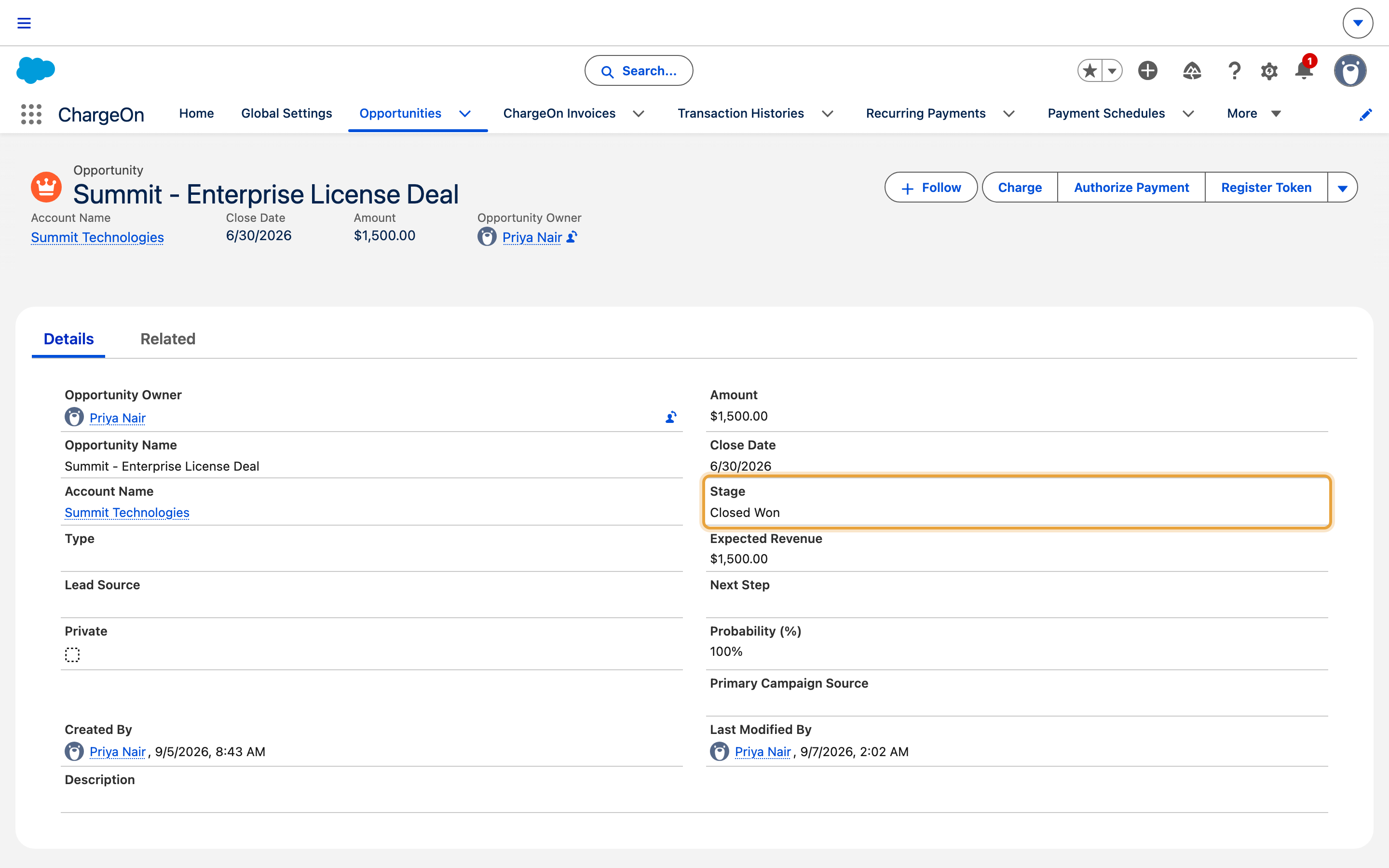
Take a payment against one of your records. Once its invoice reaches Paid, open the record you bill from. In the example, the Opportunity's Stage moves to Closed Won on its own, and the invoice links straight back to it.
If it does not work
| Symptom | Likely cause | What to do |
|---|---|---|
| Nothing happens when an invoice is paid | The Flow is optimised for Fast Field Updates, which cannot update another record | Change it to Actions and Related Records |
| The Flow runs but updates nothing | The linking field is empty on that invoice | Check the invoice was created after you set the field up in Global Settings |
| Your record is updated more than once | The Flow runs on every edit while the invoice is Paid | Set it to Only when a record is updated to meet the condition requirements |
| A part payment does not trigger it | Part payments leave the invoice Partially Paid | Add that status to your entry conditions if you want it included |
Related reading
- Show payments on your own records puts invoices, transactions and billing schedules on the record itself.
- Map fields to your objects covers choosing which object ChargeOn bills from.